
This Glycemic Load Calculator Reveals Why Your Blood Sugar Spikes Even When You Eat “Healthy”
Eating healthy should control blood sugar — right?
Yet many people living with diabetes or prediabetes face a confusing reality: they switch to brown rice, whole wheat roti, oats, fruits, or “low-fat” foods, but their blood sugar still spikes unexpectedly.
Table of Contents
If you’ve ever asked yourself, “What am I doing wrong?” — the answer is often not your discipline or willpower.
The real issue is that most people are missing one crucial concept: glycemic load.
At Glycemic Care, we focus on practical, science-based tools that help you understand how food truly affects your body. One such tool is the Glycemic load calculator, which explains why “healthy” foods can still push blood sugar dangerously high.
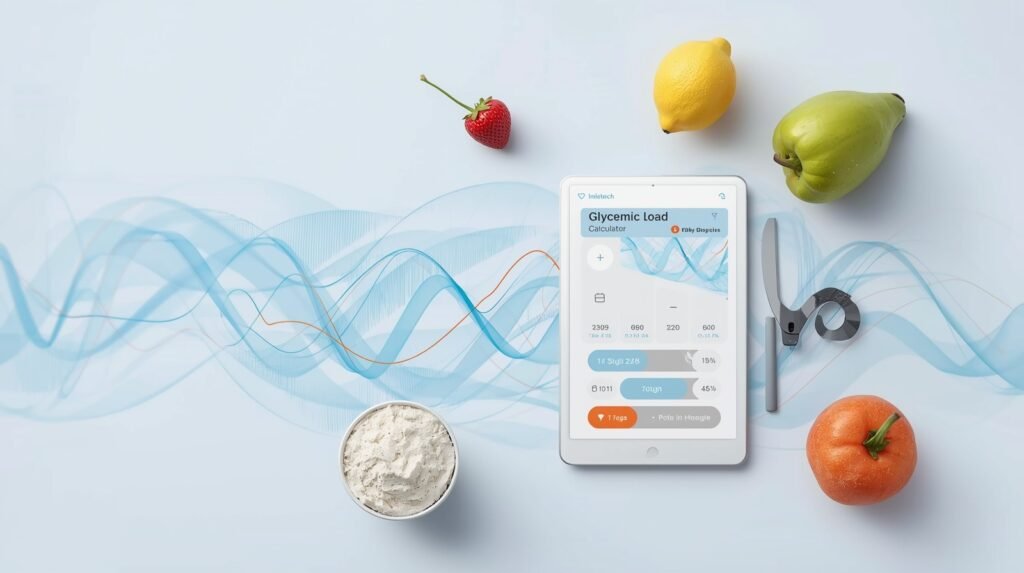
Why Blood Sugar Spikes Even When You Eat Healthy (Glycemic Load Calculator Explained)
Most people judge food based on:
- Calories
- “Sugar-free” labels
- Glycemic Index (GI)
- Fat content
But blood sugar does not respond to food labels — it responds to total digestible carbohydrates and portion size.
The Hidden Problem: Portion Size
Even low-GI foods can cause a blood sugar spike if eaten in large amounts. For example:
- One small roti may be safe
- Three rotis may not be
- A fruit bowl may seem healthy, but quantity matters
This is exactly where a Glycemic load calculator becomes essential.
Glycemic Index vs Glycemic Load (Simple Explanation)
Glycemic Index (GI)
- Measures how fast a food raises blood sugar
- Based on 50 grams of carbs, not real portions
- Does not consider how much you actually eat
Glycemic Load (GL)
- Considers both GI and portion size
- Reflects real-world eating habits
- Predicts actual blood sugar response
👉 A Glycemic load calculator uses this concept to show the true impact of your meal.
What Is a Glycemic Load Calculator?
A Glycemic load calculator is a tool that estimates how much a specific food — in a specific portion — will raise your blood sugar.
It calculates glycemic load using:
- Glycemic Index of the food
- Total carbohydrates per serving
Why It’s More Accurate Than GI Charts
GI charts assume everyone eats the same amount. In reality:
- Plates differ
- Serving sizes vary
- Cultural meals (like Pakistani food) are carb-heavy
That’s why Glycemic Care’s Glycemic load calculator focuses on real meals, not laboratory portions.
Healthy Foods That Still Spike Blood Sugar
Let’s look at foods many people eat daily, believing they are safe.
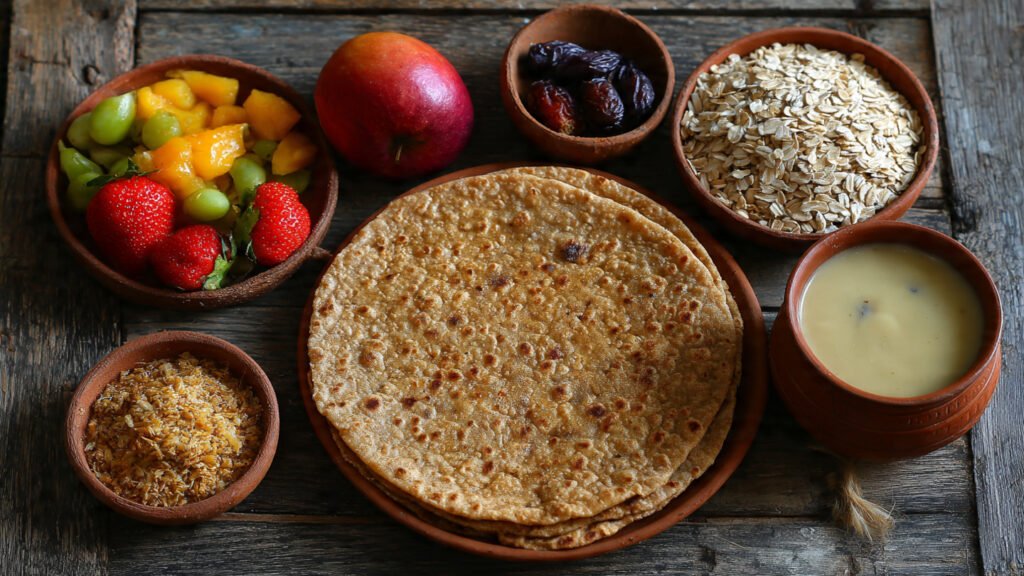
1. Whole Wheat Roti
- Often labeled “diabetic-friendly”
- Glycemic load rises quickly with 2–3 rotis
- Cooking method and flour type matter
2. Brown Rice
- Lower GI than white rice
- But high carbohydrate density
- Large servings = high glycemic load
3. Fruits and Fruit Bowls
- Natural sugar still raises glucose
- Combining multiple fruits increases glycemic load
- Fruit juice is even worse
4. Oats and Smoothies
- Healthy but carb-dense
- Blended foods digest faster
- Glycemic load spikes faster than expected
A Glycemic load calculator exposes these surprises before they affect your sugar readings.
Why Most Diet Plans Fail for Diabetics
Most diet plans fail because they:
- Focus on calories, not blood sugar
- Ignore portion size
- Treat all carbs equally
- Don’t adapt to local foods
At Glycemic Care, we emphasize carbohydrate awareness, not carbohydrate fear.
The Glycemic load calculator helps you eat confidently — not restrictively.
How Glycemic Load Calculator Changes Everything
Using a Glycemic load calculator helps you:
- Predict sugar spikes before eating
- Adjust portion size instead of eliminating foods
- Balance meals more intelligently
- Reduce post-meal glucose fluctuations
Instead of asking “Can I eat this?”
You start asking “How much can I eat safely?”
How to Use the Glycemic Load Calculator (Step-by-Step)
The Glycemic Load Calculator on Glycemic Care is designed to make blood sugar control practical and simple. Instead of forcing you to memorize numbers, the calculator automatically does the hard work for you — so you can focus on smarter eating decisions.
Below is a step-by-step explanation of how to use it effectively.
Step 1: Select the Food Item
Start by selecting a food item from the calculator’s food list.
✔ As soon as you select a food, the calculator automatically displays:
- Carbohydrate content of that food
- Glycemic Index (GI) of that food
This feature helps you immediately understand why a food behaves the way it does in the body — without searching charts or tables.
Example:
Selecting “Whole Wheat Roti” instantly shows its carbohydrate content and glycemic index.
Step 2: Enter the Portion Size (Grams or Ounce)
Next, enter the actual portion size you plan to eat.
This is the most important step because:
- Glycemic Index alone does not reflect portion size
- Glycemic Load changes directly with quantity
The calculator allows you to enter realistic portions — just like you eat at home.
✔ This ensures the result reflects real meals, not laboratory portions.
Step 3: View the Glycemic Load Result Instantly
Once the portion size is entered, the Glycemic Load Calculator instantly calculates and displays the glycemic load of that food.
The result is clearly categorized into:
- Low Glycemic Load
- Medium Glycemic Load
- High Glycemic Load
This removes confusion and allows you to quickly judge whether the portion is safe or needs adjustment.
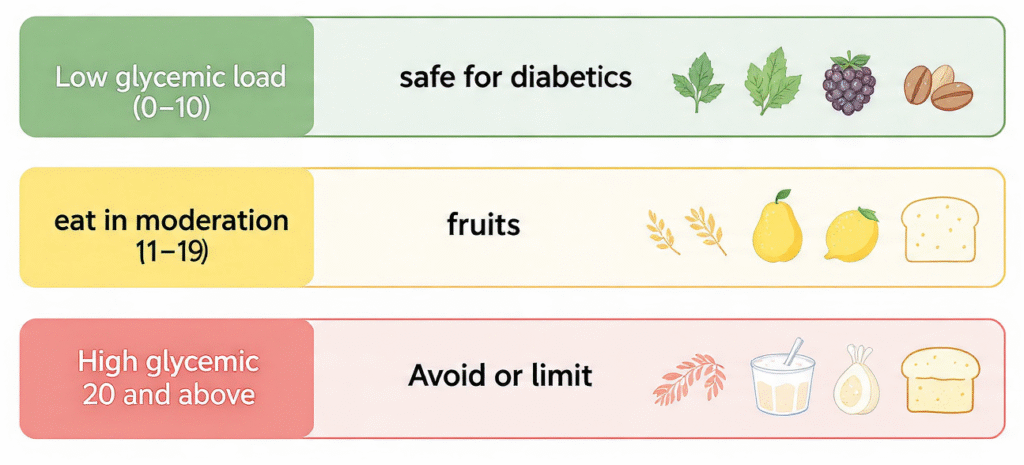
Step 4: Understand the Glycemic Load Categories
The calculator automatically interprets the result for you:
- Low GL → Safe for most people (0-10)
Suitable for regular meals and better blood sugar stability. - Medium GL → Eat in moderation (11-20)
May be included occasionally or in smaller portions, especially when paired with protein or fiber. - High GL → Reduce portion or avoid (20 or above)
Likely to cause blood sugar spikes, especially for diabetics and prediabetics.
This color-coded or clearly labeled system helps you make decisions instantly — without stress.
Glycemic Load Ranges
Step 5: Add Another Food to Your Meal
Real meals are rarely made of just one food.
The Glycemic Load Calculator allows you to:
- Select another food item
- Enter its portion size
- Instantly see its individual glycemic load
Each selected food appears separately, with its own glycemic load classification.
Step 6: View the Total Glycemic Load of the Meal
After adding two or three foods, the calculator automatically shows the total glycemic load of the entire meal.
✔ This feature is extremely important because:
- Blood sugar responds to the total meal, not individual foods
- Even low-GL foods can add up when combined
You can now clearly see whether your complete meal is low, medium, or high glycemic load.
Step 7: Calculate Glycemic Load for Breakfast, Lunch, and Dinner
You can use the calculator to check:
- Breakfast glycemic load
- Lunch glycemic load
- Dinner glycemic load
By calculating each meal separately, you can:
- Balance your carbohydrate intake throughout the day
- Prevent large glucose spikes after meals
- Improve long-term blood sugar control
This makes the Glycemic Load Calculator a daily planning tool — not just a one-time checker.
Calculated GLs
| Food | Carbs/100g | GI | Serving Size | GL | Category |
|---|---|---|---|---|---|
| Total GL: | 0.00 | ||||
Why This Approach Supports Long-Term Diabetes Management
Unlike traditional diet advice, this calculator:
- Focuses on portion control, not food elimination
- Educates users through automatic GI and carb display
- Encourages balanced meals instead of fear-based eating
- Helps identify problem meals before sugar spikes occur
By consistently using the Glycemic Load Calculator, you learn:
- Which foods work for your body
- How much you can eat safely
- How to combine foods wisely
In Simple Words
You don’t need to stop eating your favorite foods.
You just need to know how much and how often.
That is exactly what the Glycemic Load Calculator by Glycemic Care is built to do — helping you eat smarter, meal by meal, for better blood sugar control.
Who Should Use a Glycemic Load Calculator?
The Glycemic load calculator is ideal for:
- Type 2 diabetics
- Prediabetics
- People with insulin resistance
- Weight-loss seekers
- Health-conscious families
At Glycemic Care, our mission is to simplify blood sugar control using tools anyone can understand.
How Glycemic Care Is Different
Unlike generic health websites, Glycemic Care focuses on:
- Practical food calculations
- Real meals (roti, rice, lentils, paratha)
- Portion-based guidance
- Diabetes-specific education
Our Glycemic load calculator is designed to support everyday eating — not unrealistic diets.
Internal Learning Path (Recommended Reading)
To improve blood sugar control further, explore:
- Understanding Glycemic Load of Pakistani Foods
- Low Glycemic Load Breakfast Ideas
- Roti vs Rice: What’s Better for Diabetics?
- How Portion Size Impacts Blood Sugar
These resources work together with the Glycemic load calculator to create a complete learning system.
Final Thoughts: Eat Smart, Not Less
If your blood sugar spikes even when you eat “healthy,” it’s not your failure.
It’s a knowledge gap.
By using a Glycemic load calculator, you stop guessing and start making informed decisions.
You don’t need extreme diets — you need clarity.
At Glycemic Care, we believe:
Better understanding leads to better control.
Start using the Glycemic load calculator, and take control of your blood sugar — one meal at a time.
For more detail read About us and Author Bio page.